
HackenProof Providers: How Hacker Teams Work as One Company

A Provider is a HackenProof account for a team of ethical hackers that works as one company. Members submit vulnerability reports under the team's name. Rewards and reputation go to the team, and the team's admins manage payouts. Here is how Providers work, from setup and roles to reports, payouts, and accountability.
What Is a Provider on HackenProof?
On most bug bounty platforms, every researcher works alone. They submit reports under their own name, collect their own bounties, and build their own reputation. That works for independent hunters. It doesn't fit security firms and research collectives, where a group of specialists works together and bills as one entity.
A Provider gives those teams a shared home on HackenProof. It is a hacker company: a group of researchers with its own profile, reports page, balance, and admins. Earlier versions of this feature were called "hackers' company". The current version has been redesigned and reworked, and it supports offers in RFPs as well as bug bounty reports.
A Provider is not the same as a regular company account. Companies on HackenProof run programs and receive reports. Providers sit on the other side: they find vulnerabilities and submit reports to those programs.
How a Provider Is Set Up
Providers aren't self-serve. A team can't turn itself into a Provider by signing up: registering as a company doesn't unlock Provider features, and members still log in as regular hackers. A Provider is created through HackenProof's new-company flow, with the Provider checkbox ticked.
The setup form is short:
- Required: company name and email.
- Optional: a logo and a description.
- Provider checkbox: marks the account as a Provider rather than a regular company.
Once the Provider is created, the user who created it becomes its first admin. From there, admins build the team by inviting two kinds of members:
- Admins, who manage the Provider, its members, and its money.
- Hackers, who find vulnerabilities and submit reports on the Provider's behalf.
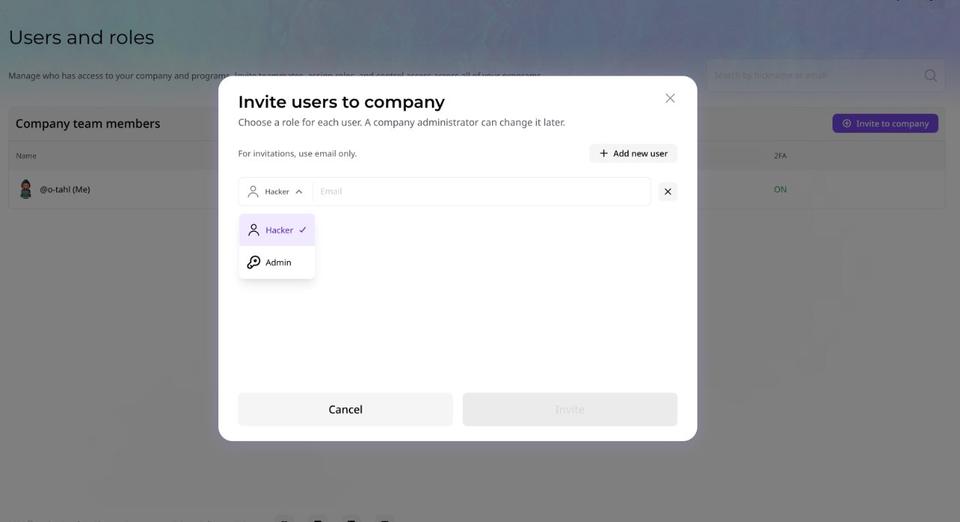
An invited researcher can create a new HackenProof profile from the invite or accept it with an existing hacker account. As a rule, a hacker can be a member of only one Provider.
Roles And Permissions: Admins vs. Hackers
Both roles can submit reports. Admins also control the Provider's profile, its team, and its payouts.
| Action | Admin | Hacker |
|---|---|---|
Submit reports on behalf of the Provider | Yes | Yes |
View all submitted Provider reports | Yes | Yes |
Delete a submitted report | Any report | Own reports only |
Edit and delete comments on Provider reports | Yes | Yes |
Edit the Company profile page | Yes | Yes |
Access Users and roles, invite members, change roles | Yes | Yes |
See the Withdrawal block on the Payments page | Yes | Yes |
Add wallets and withdraw funds | Yes | Yes |
Admins can also create offers for RFPs. This permission model mirrors the one regular company accounts on HackenProof already use.
Submitting Reports as a Team
A Provider member keeps their personal hacker profile. Which profile they are working from decides who gets credit for a report.
Personal profile or Provider profile
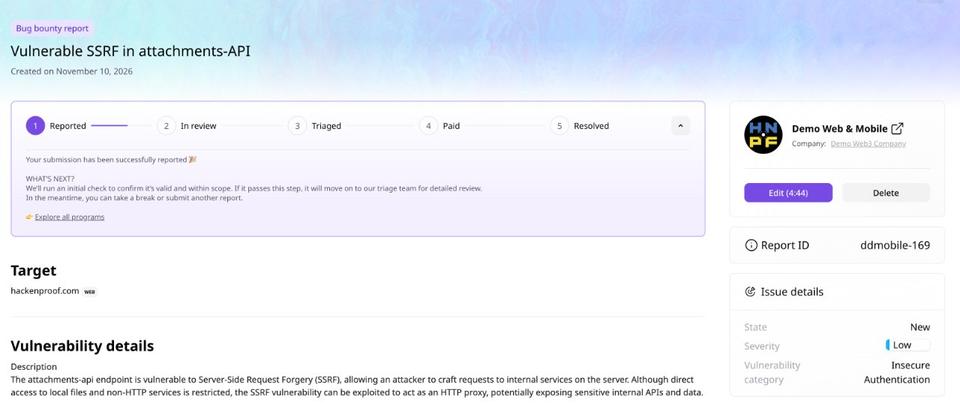
To submit under the team's name, a hacker switches to the Provider profile, opens Opportunities there, picks a program, and submits the report. The report is filed on behalf of the Provider.
To submit under their own name, the same hacker switches back to their hacker profile and picks a program from Opportunities in the hacker dashboard. That report counts as a personal submission, with the bounty and reputation going to the individual.
The program is the same either way. The profile is the only thing that changes where the credit lands.
Submitted reports and drafts
The Provider's Reports page has two tabs:
- Submitted: every report filed on behalf of the Provider. All members see it, admins and hackers alike, with columns showing who submitted each report, which program it went to, its severity, bounty, and state.
- My drafts: reports saved but not yet submitted. A draft is private to the hacker who created it, so other Provider members can't see it. The author can edit a draft and submit it when it's ready.
Editing, deleting and commenting
A submitted report is shared work, and the rules reflect that:
- Editing: any Provider member, admin, or hacker can edit a submitted report during the first five minutes after submission.
- Deleting: the report's author and Provider admins can delete a report. Other hackers can delete only their own reports.
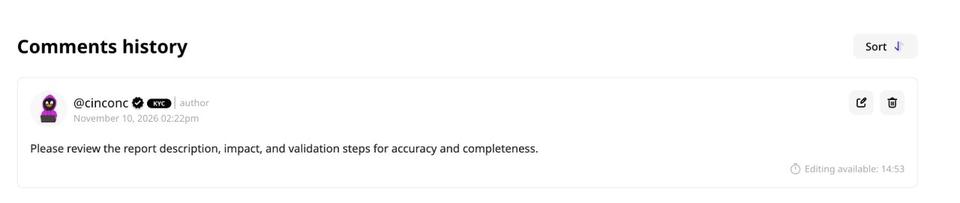
- Comments: members can comment on Provider reports, and a comment can be edited or deleted within 15 minutes of posting. Any Provider member can edit or delete any comment in that window, not just their own.
How Providers Get Paid
When a program rewards a Provider's report, the money goes to the Provider's balance, not to the hacker who found the bug. Here is the path from bounty to withdrawal:
- The program awards a bounty. The program owner rewards the report the Provider submitted. Platform-wide payout rules still apply: if a program requires KYC before payouts, that requirement holds for Provider rewards too.
- The reward appears in Expected rewards. Until HackenProof approves the payout, it shows as expected rather than available.
- Approval moves it to Current rewards. After approval, the amount moves to Current rewards and becomes available to withdraw.
- An admin withdraws the funds. Only Provider admins can add wallets and withdraw money.
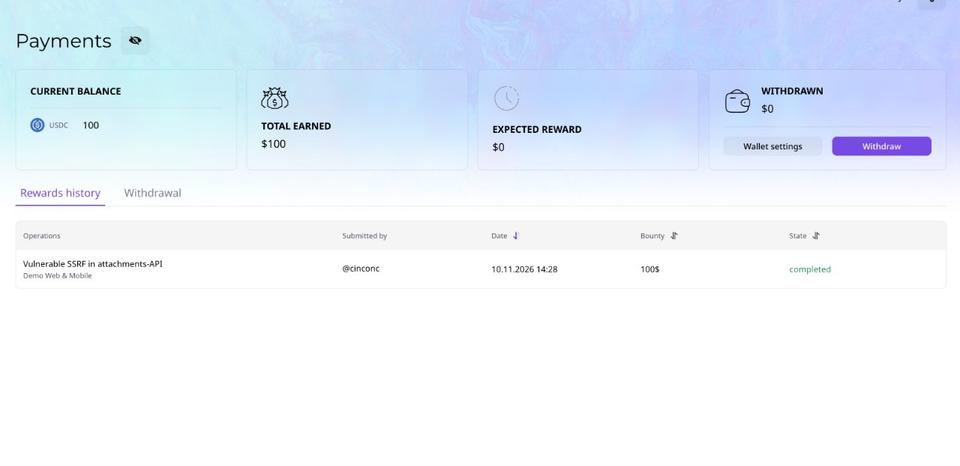
Two safeguards protect withdrawals:
- Two-factor authentication is mandatory. An admin without 2FA enabled can't add a new wallet or withdraw funds.
- There is a minimum balance. The Provider's balance must be at least $100 before funds can be withdrawn.
Every withdrawal is logged with the withdrawal date, currency, bounty amount, state, and the admin who made it. Recording the admin matters when a Provider has several of them: if five admins can all withdraw, the team needs to know who moved which funds. The log works like a receipt you can view; it isn't a downloadable document.
How the team splits the money internally is up to the Provider. HackenProof pays the Provider as one entity.
Solo Hacker vs. Provider Member
A hacker can access the same programs either way. What changes is who owns the work and who answers for it.
| Solo hacker | Provider member | |
|---|---|---|
Reports filed under | Their own name | The Provider's name |
Bounties paid to | Their personal balance | The Provider's balance |
Reputation points go to | The hacker | The Provider |
Control over reports before triage | Full control of their own reports | Shared with other members, within the edit and delete rules |
Who withdraws funds | The hacker | Provider admins |
Accountability | Personal | Collective |
The accountability row matters most. Suppose a Provider member submits 300 spam reports through the Provider profile. The block lands on the Provider, not on the hacker's personal account. Everyone on the team shares that responsibility, so Providers have a reason to vet their members and review their output.
Independent researchers who are just starting are better served by a personal profile. Anyone weighing that path can learn more about becoming a bug bounty hunter.
Why HackenProof Built Providers
Many security firms already work this way: one company, a bench of researchers, and shared responsibility for the results. Providers let those firms work on HackenProof the same way they work everywhere else.
Providers also serve the companies that run programs. Not every organization wants to open its program to the whole hacker community. Some prefer to work with one known team of researchers that is accountable as a single entity. When companies are evaluating a bug bounty platform, the ability to bring in a vetted team instead of the open crowd can be what decides it.
For security firms, a Provider means one profile, one balance, and one reputation for the whole team. For program owners, it means a clear counterpart who answers for every report its members submit.
FAQ
What is a Provider on HackenProof?
A Provider is a hacker company account: a team of ethical hackers that submits reports, earns bounties, and builds reputation under one shared name.
Can I create a Provider account myself?
No. Registering as a company doesn't create a Provider. A Provider is set up through HackenProof's new-company flow with the Provider option enabled, and its creator becomes the first admin.
Can a hacker belong to more than one Provider?
As a rule, no. A hacker is a member of one Provider and keeps a personal hacker profile alongside it.
Can a Provider member still submit reports under their own name?
Yes. They switch to their personal hacker profile and submit from the Opportunities section of the hacker dashboard. Those reports, bounties, and reputation points stay personal.
Who can withdraw a Provider's earnings?
Only Provider admins, and only with two-factor authentication enabled. The balance must be at least $100 to withdraw.
Who is responsible if a Provider member submits spam?
The Provider. Reports submitted on behalf of a Provider are its collective responsibility, so any block applies to the Provider rather than to the member's personal account.